Portal Tholz
EXPLORE THE CASECASE 01 / REAL PRODUCT IN TESTING / 2026
A clear workflow for the people requesting work and the team delivering it.
- MY ROLE
- Product, UX/UI and AI-assisted development
- CONTEXT
- Marketing leadership · Five-person team
- CURRENT DELIVERY
- Web application in a demonstration environment
- NEXT STEP
- Validate with requesters and Marketing
30-second overview
- Problem
- Marketing requests need clear context and visible progress.
- My contribution
- I defined the workflow and designed and built an application with AI assistance.
- Current result
- A test application with 6 categories and a 3-step brief. Operational impact has not been measured.
Screens from a demonstration environment. Requests, requesters and deadlines are fictional.
01 / The challenge
Leading a five-person team means connecting other departments’ needs with Marketing deliverables. The challenge was to organize request intake and make what happens after submission visible.
Requesters need to provide context without knowing design terminology. Marketing needs to evaluate the brief and retain responsibility for priority, deadlines and execution.
The starting point is my operational experience. Research with requesters and the team is still to come.
02 / Two roles
Requesters
Sales, Product, Production and support departments describe a need and track the request.
The delivery team
Marketing reviews the brief, sets dates and records progress. The interface separates submitting, tracking and managing.
03 / Workflow first
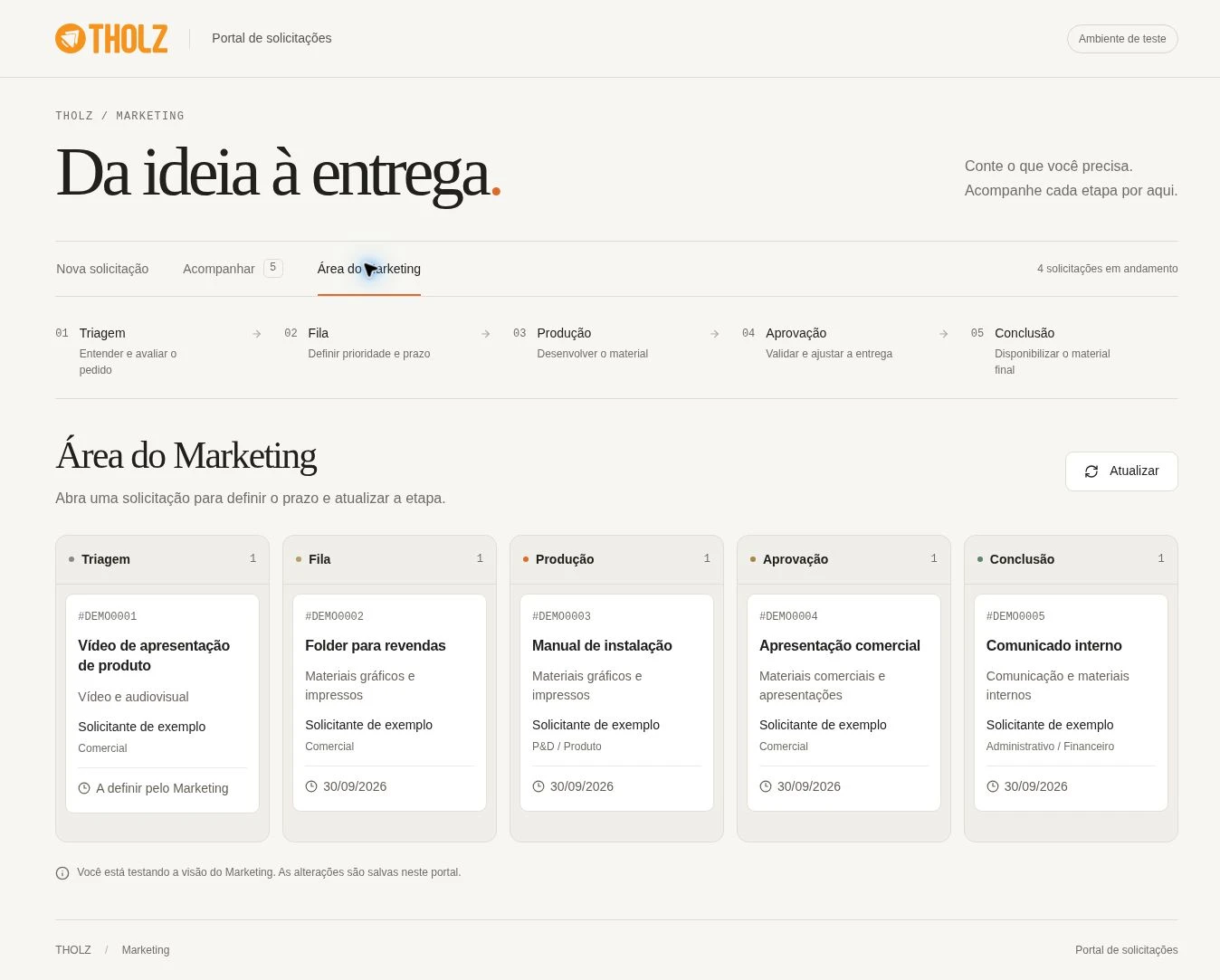
I organized work into five stages, each with a clear responsibility. A request needs a deadline before entering the queue; revisions can move it back to production.
- 01
Triage
Check the context.
- 02
Queue
Set deadline and priority.
- 03
Production
Develop the deliverable.
- 04
Approval
Review and request changes.
- 05
Complete
Make the work available.
04 / Guided brief
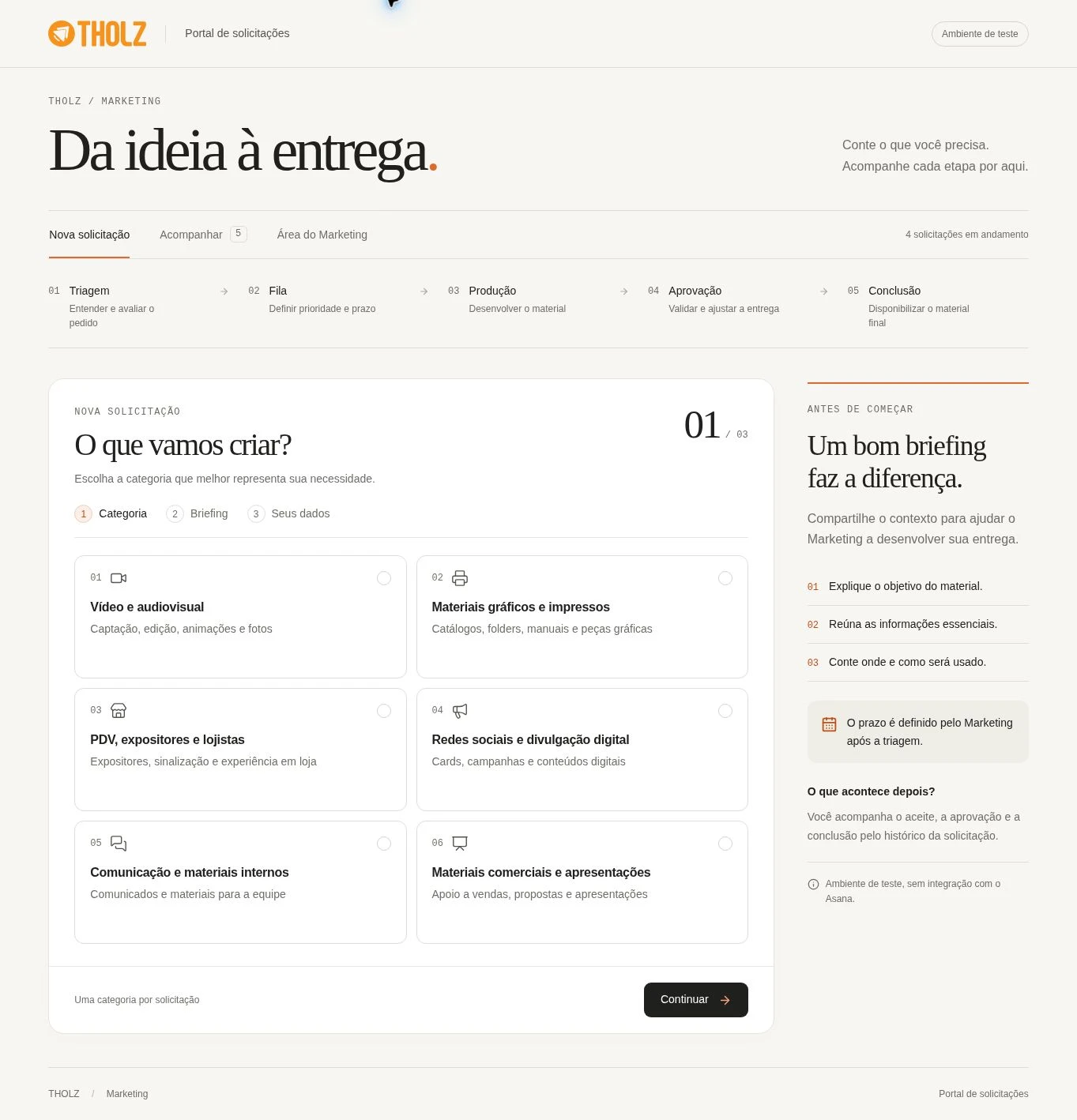
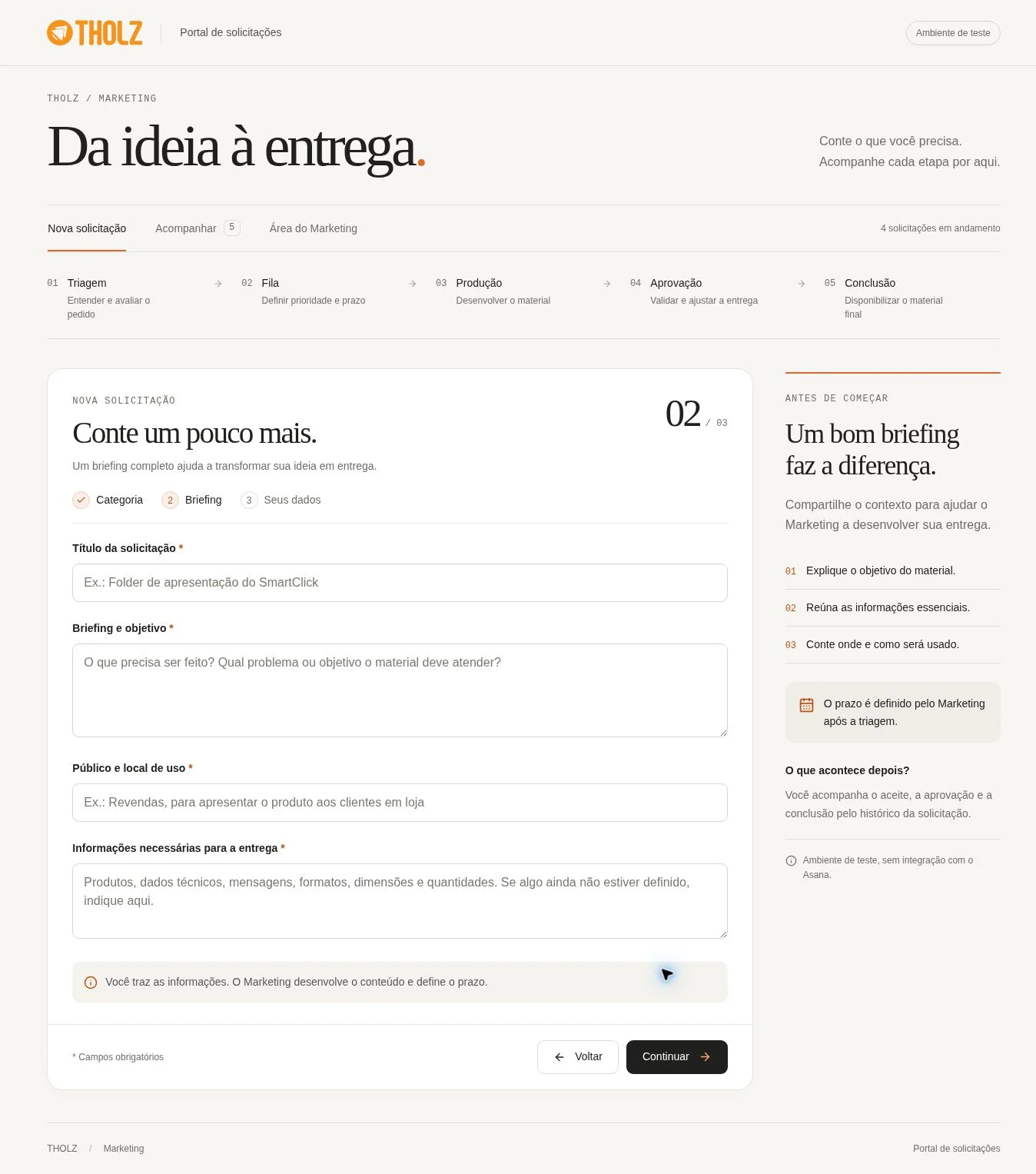
Six categories help identify the deliverable: audiovisual, graphic materials, point of sale, digital, internal communication and sales materials. The form progresses through category, brief and identification.
Objective, audience and usage context turn a need into a useful brief. Attachments are optional. Rather than imposing urgency, the interface explains that Marketing sets the deadline after triage.
05 / Visible context
The board brings together stage, category, department and deadline. The side panel brings together the brief, attachments and history without losing the workflow overview. Management supports stage updates, notes and delivery links.
06 / From rule to screen
I defined categories, required information, rules and visual direction. ChatGPT / Codex supported implementation and iteration, turning the workflow into forms, states and request persistence.
Rules and responsibilities
- Marketing evaluates the request.
- Deadline set after triage.
- Five delivery stages.
Rules in the experience
- Three-step brief.
- Guidance alongside fields.
- Request board and history.
07 / Planned evolution
INTEGRATION NOT YET IMPLEMENTED
The proposal connects the portal to Asana. An agent organizes the brief and flags gaps; Marketing reviews suggestions before making commitments. The current application operates independently.
- 01
Portal
Receives the request and references.
- 02
AI agent
Organizes information and flags gaps.
- 03
Marketing + Asana
Reviews and plans delivery.
- 04
Tracking
Returns status to the portal.
08 / Planned exceptions
The flow needs to guide corrections without clearing the form. In the next iteration, role-based access, Asana downtime and duplicate prevention need explicit handling.
Incomplete field
Explain what is missing next to the field.
Submission failure
Preserve the brief and allow another attempt.
Future synchronization
Show a pending state and prevent duplicates.
09 / Outcome and learning
The current deliverable is a test application with 6 categories, 3 form steps and 5 tracking stages. The numbers describe the implemented scope. The main learning was to treat the process as part of the interface: clarify who decides and what comes next before automating.
Validation should observe submission, completion time, missing brief information and the ability to find deadlines and status.
Usage and impact have not yet been measured. The environment does not send data to Asana or external notifications.